How this site works
You’re reading the book one page at a time, exactly as it will be printed. Notice anything — a typo, a doubtful fact, a confusing sentence, a bit you loved — and leave a note right on the page.
The screen
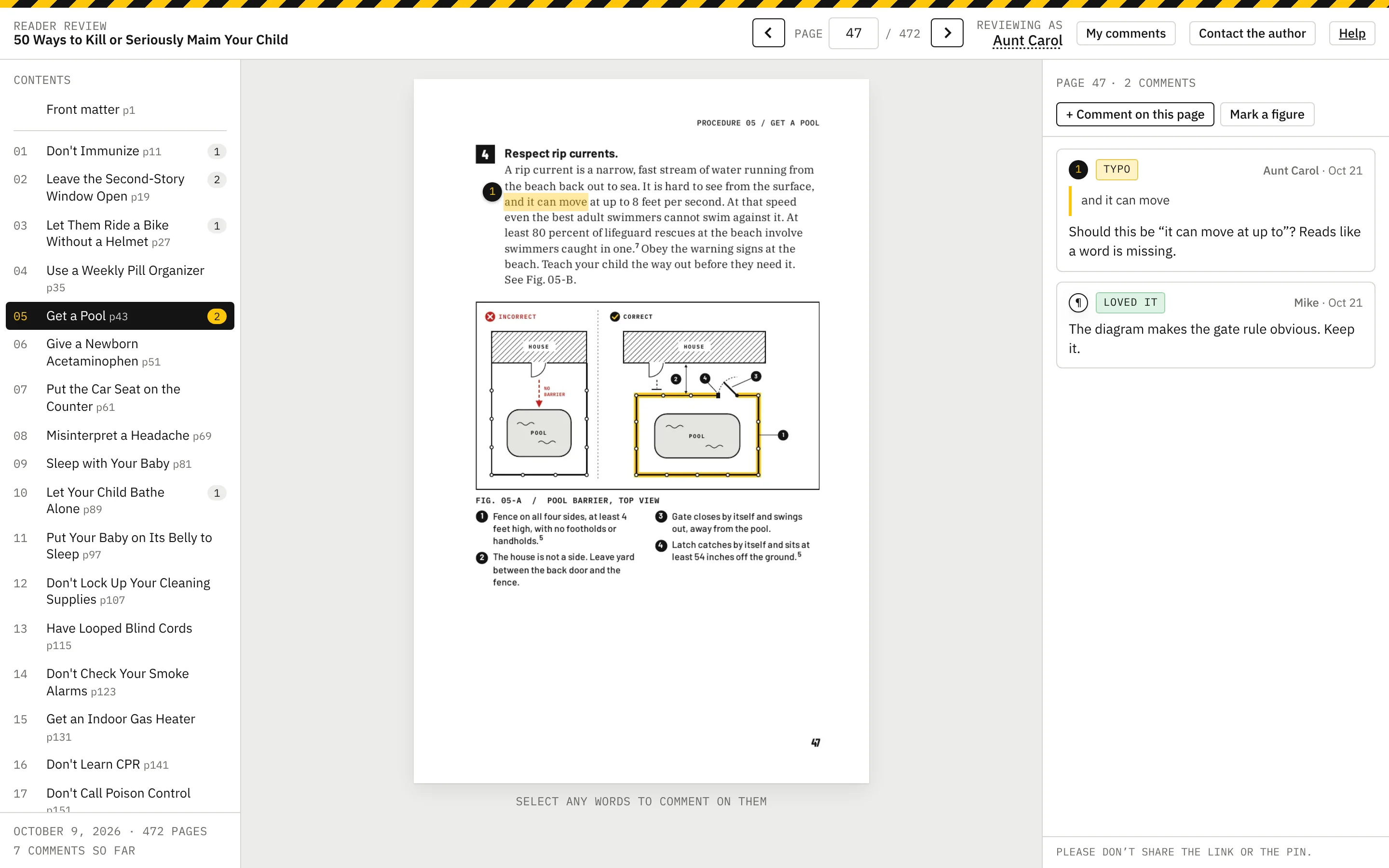
Chapters on the left, the page in the middle, comments on the right.
Page numbers are the same as in the printed book. Use the arrows, type a page number, or press ← →. The site remembers where you were.
You enter the PIN once per device. Click your name at the top right to change it.
 12345
12345- 1Chapters — click one to jump there. The number is how many comments it has.
- 2Page arrows and page number. Same numbers as the printed book.
- 3The page. Select words here to comment on them.
- 4Comments on this page, and where you write yours.
- 5Private note to Jason, and this Help page.
Select the words
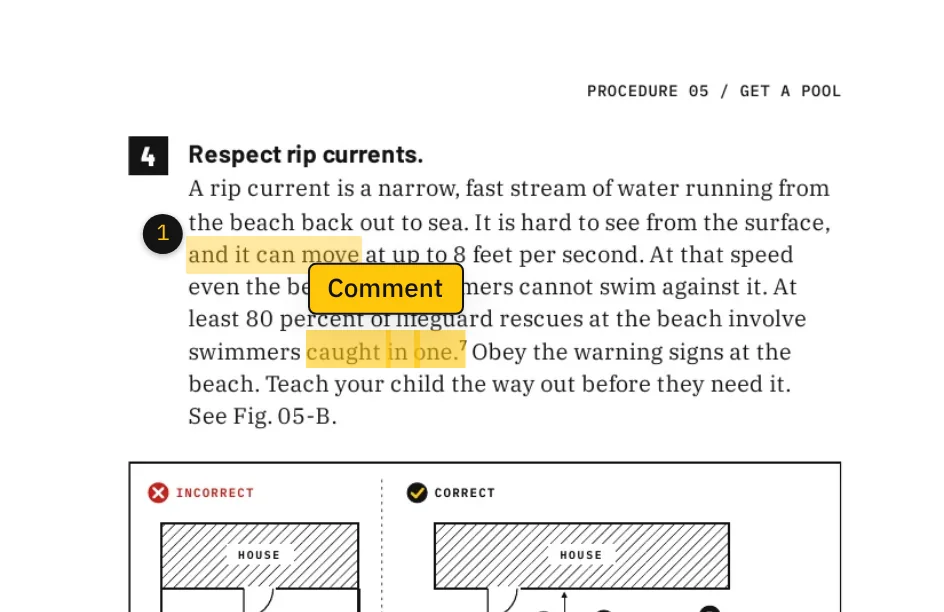
Drag across the words you want to comment on, the same way you’d select text anywhere. They turn yellow and a Comment button appears.
On a phone: press and hold a word, then drag the handles.
 12
12- 1Drag across the words (press and hold on a phone).
- 2Click Comment.
Write the note
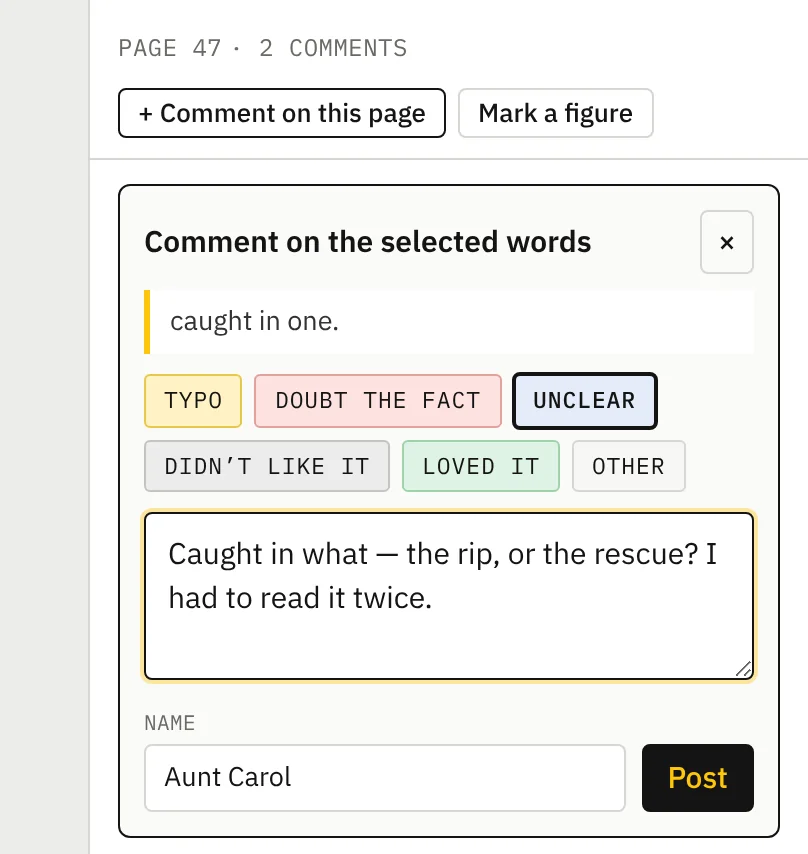
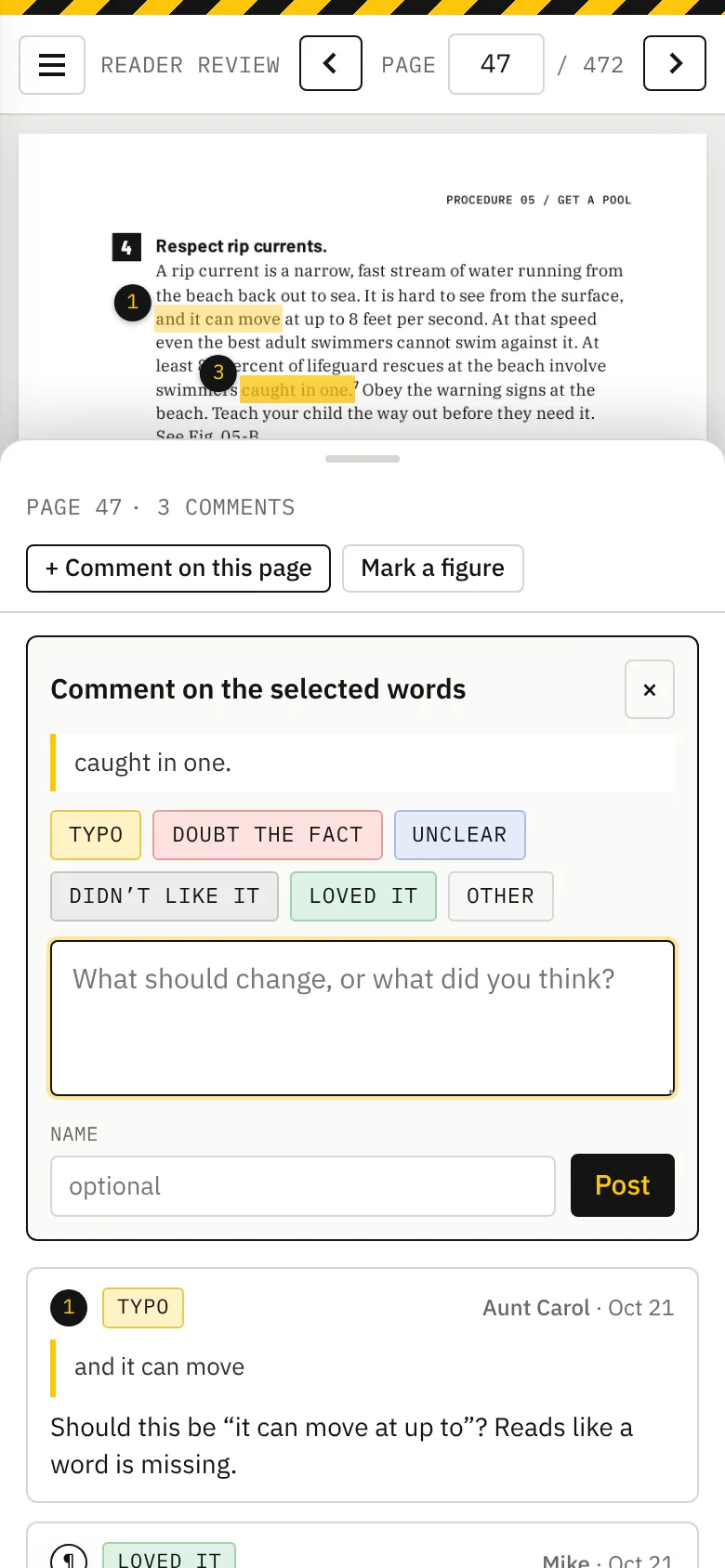
A form opens on the right with the words you picked quoted at the top. Pick what kind of note it is, type your comment, press Post.
Your name is optional. It helps Jason know who said what.
 1234
1234- 1The words you picked.
- 2Pick what kind of note it is.
- 3Write your comment.
- 4Post.
It stays on the page
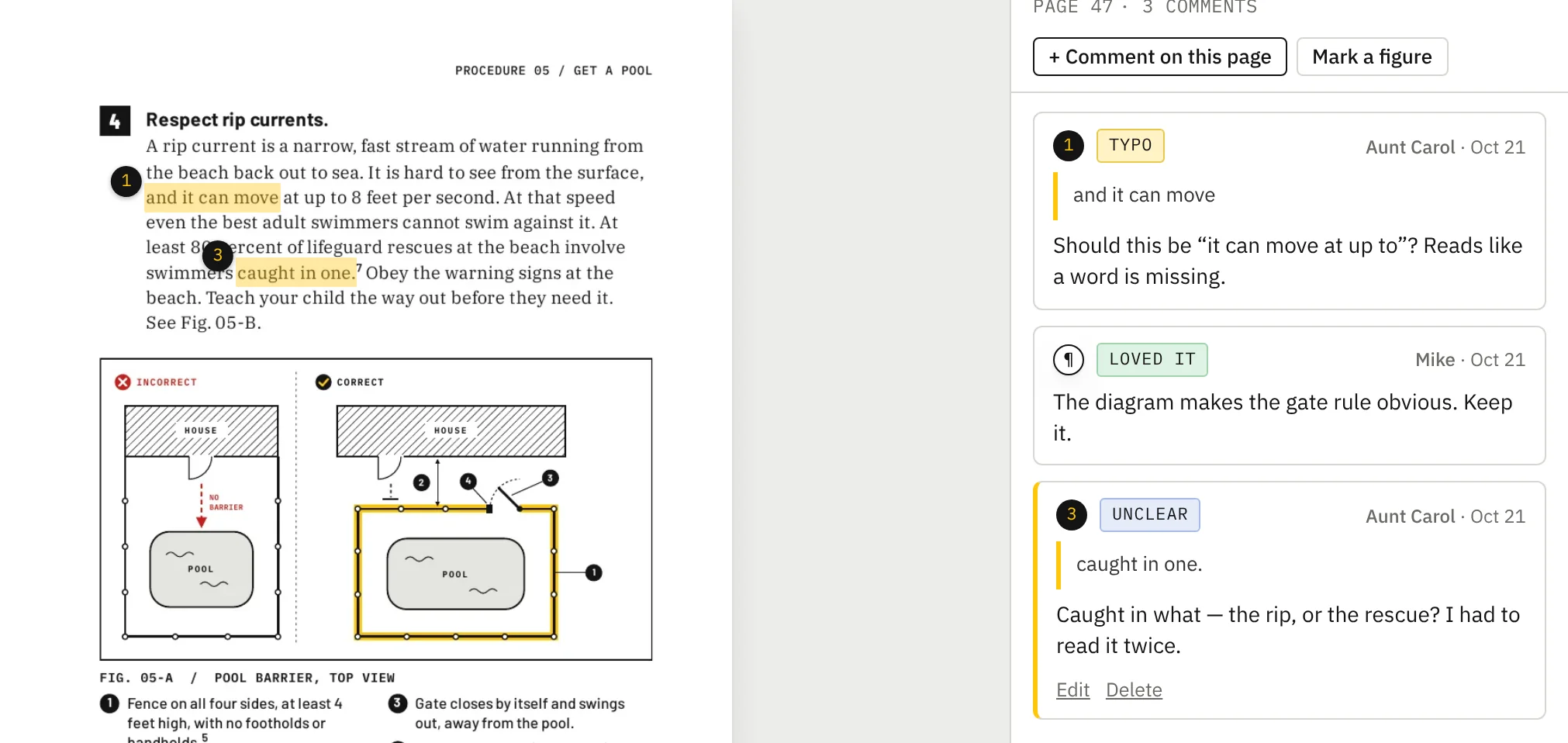
Your words stay highlighted with a numbered marker, and your comment appears on the right. Click any marker to see its comment.
Comments you wrote have Edit and Delete underneath. My comments at the top lists everything you’ve written.
Everyone with the PIN sees all comments — if someone already flagged it, you can skip it or add “me too.”
 12
12- 1Your note stays on the page with a number.
- 2…and the matching comment on the right. Your own have Edit and Delete.
Pictures and diagrams
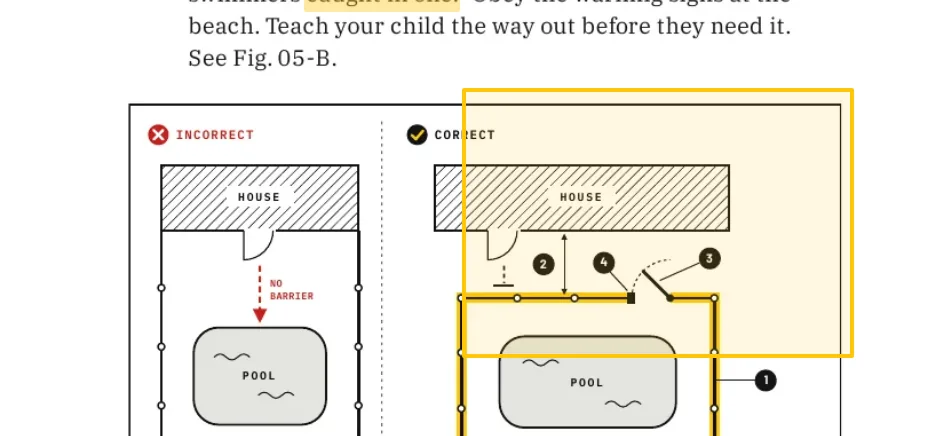
Press Mark a figure above the comment list, then drag a box around the part you mean. The same form opens.
 1
1- 1Press “Mark a figure”, then drag a box around the part you mean.
Whole page, or a private message
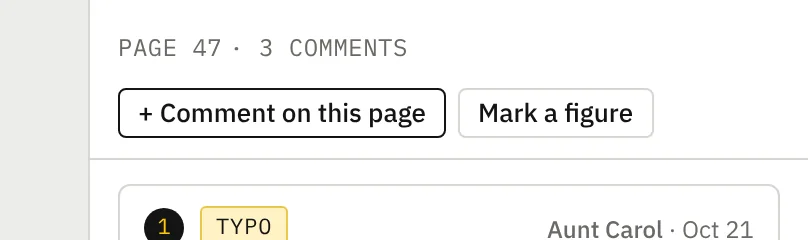
+ Comment on this page is for a note about the page in general.
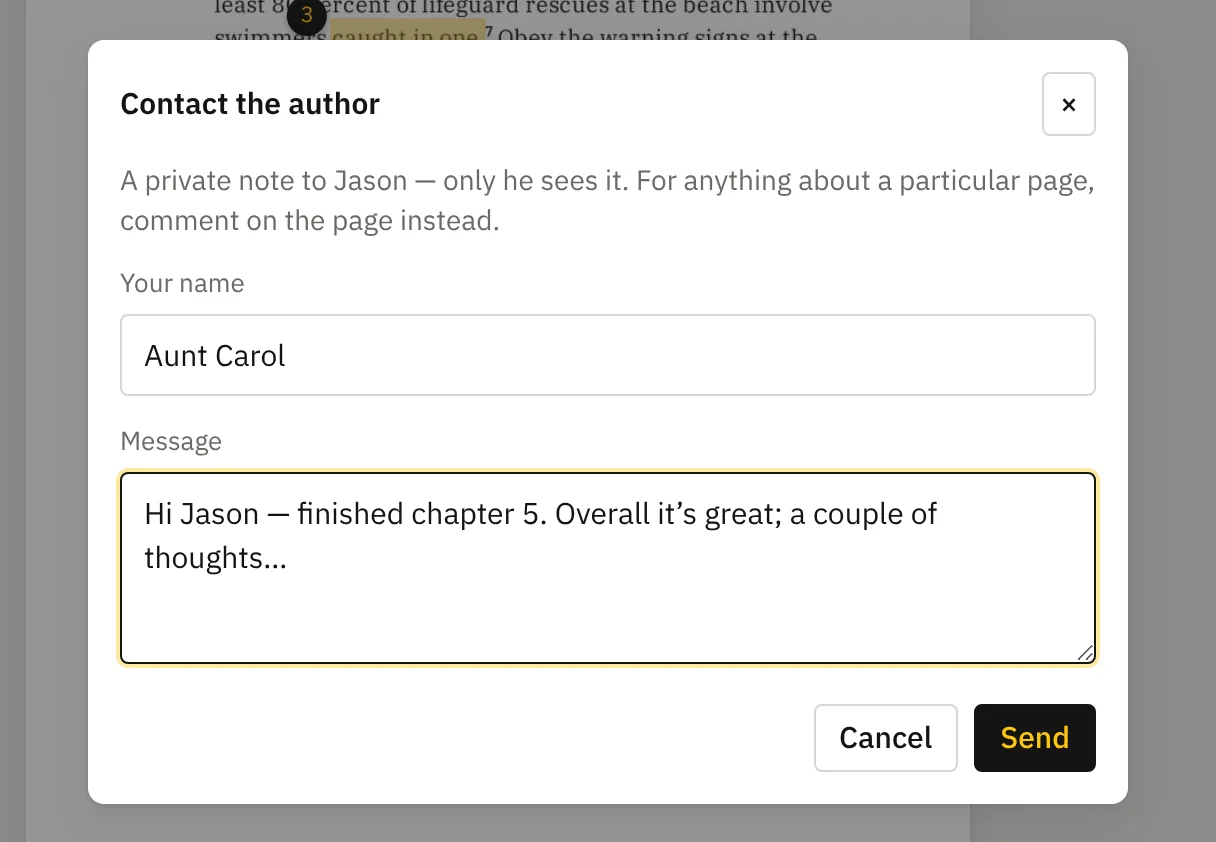
Contact the author at the top sends Jason a private note that isn’t tied to any page — a question, an overall impression, or anything you’d rather other reviewers didn’t see.
 12
12- 1A note about the page as a whole.
- 2Draw a box around a picture or diagram.
 1
1- 1Only Jason sees these.
On a phone
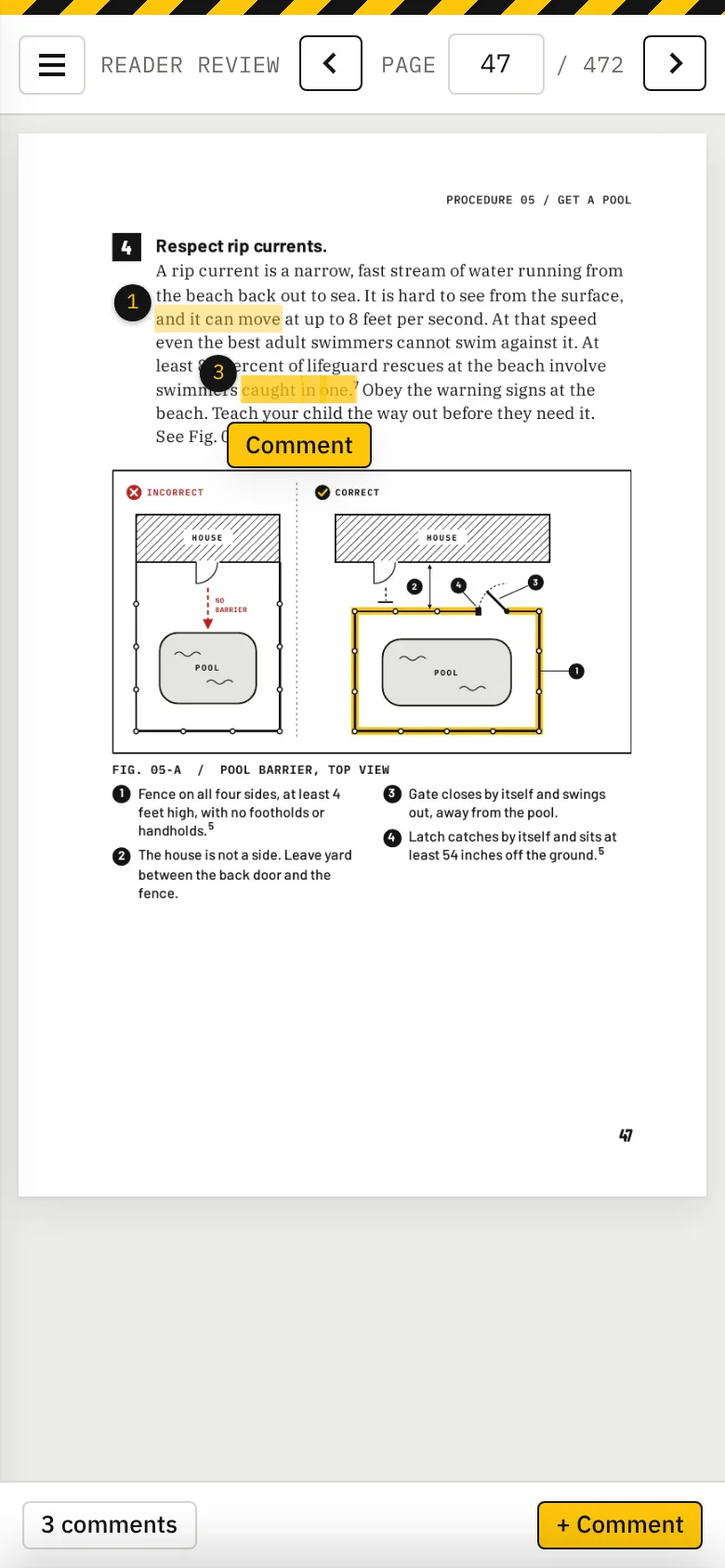
Same thing, smaller. Press and hold a word, drag the handles, tap Comment. The comment panel slides up from the bottom; the bar at the bottom shows how many comments the page has.
The ☰ button opens the chapter list, My comments, Contact and Help.
A laptop or tablet is easier for selecting words, but a phone works fine.
Kinds of notes
Don’t overthink the label — the comment itself is what matters.
Jason reads every one and marks it Fixed or Read, leaving as is, sometimes with a short reply under your comment.